Patients: finding, registering and the record
Everything in Klinira hangs off a patient record, so the two things that matter most here are finding the right one and not creating a second one for a person who already exists.
Finding a patient
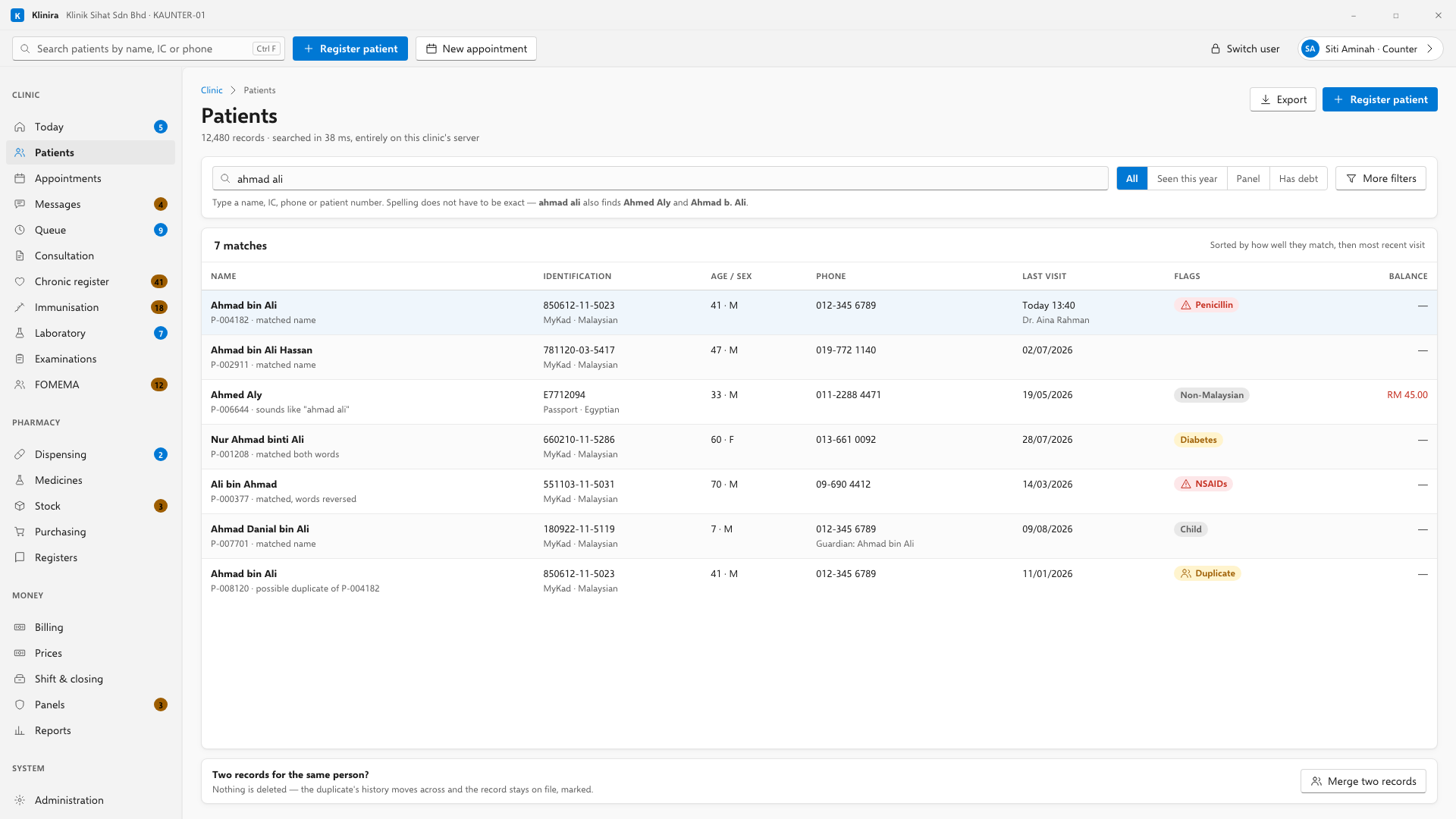
- Partial names work. "siti rah" finds Siti binti Rahman.
- Identity numbers work with or without the dashes.
- Telephone numbers work in any format the patient might have given.
- Searching is not recorded in the audit log. Opening a record is.
Registering a new patient
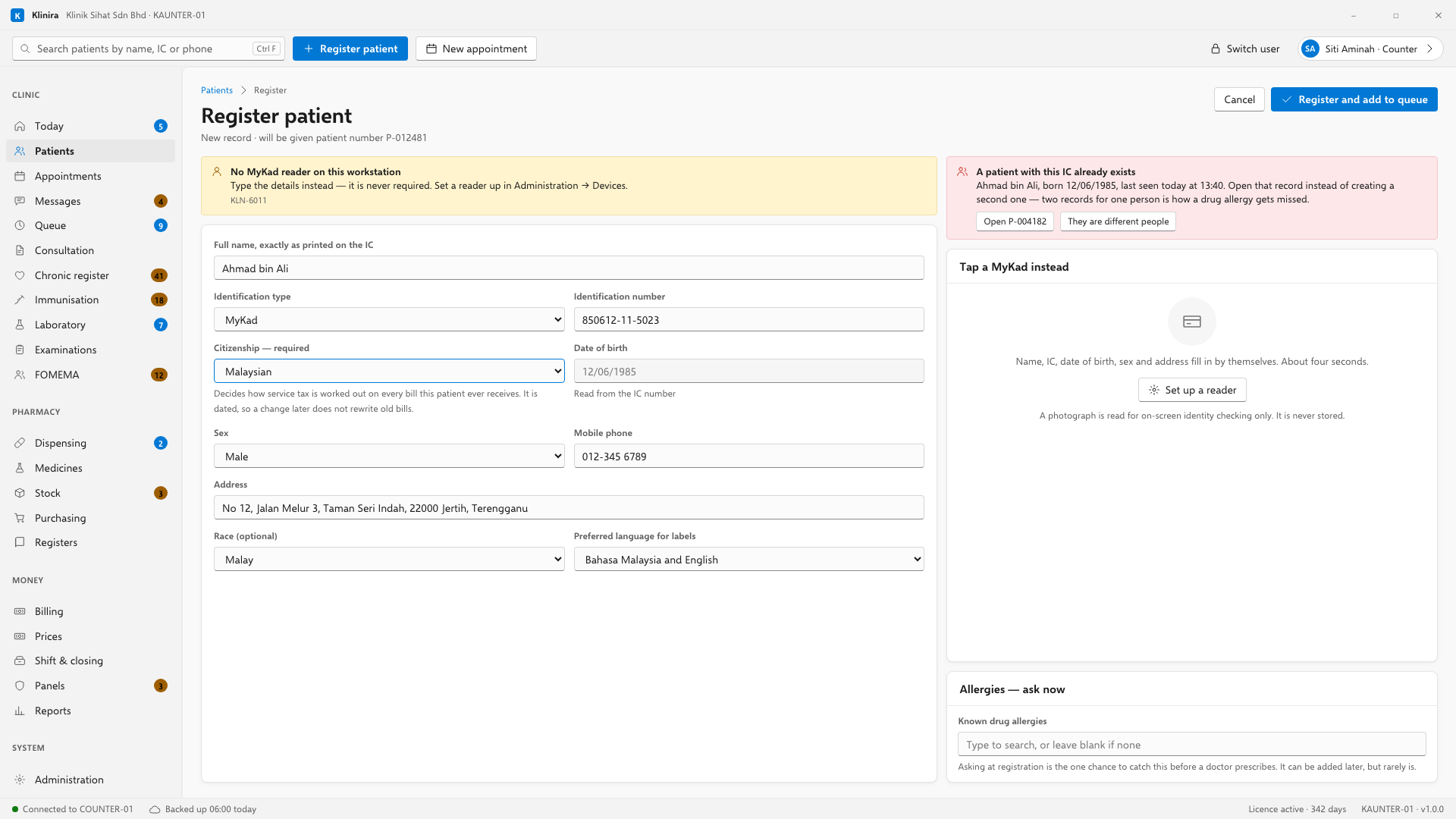
- 1Tap the MyKad on the reader, if the clinic has one. Name, identity number, date of birth, gender and address fill themselves in.
- 2Otherwise type the name, the identity number and the telephone. A foreign patient, a child with no card and a clinic with no reader all take this path.
- 3Klinira checks for a possible duplicate as you move off each of those three fields. If it finds one, it shows you the existing record and asks.
- 4Record citizenship. It decides how service tax is treated on the bill, so it is asked at the counter rather than reconstructed at the payment desk on a busy morning.
- 5Save. The patient number is allocated by the main PC.
The patient record
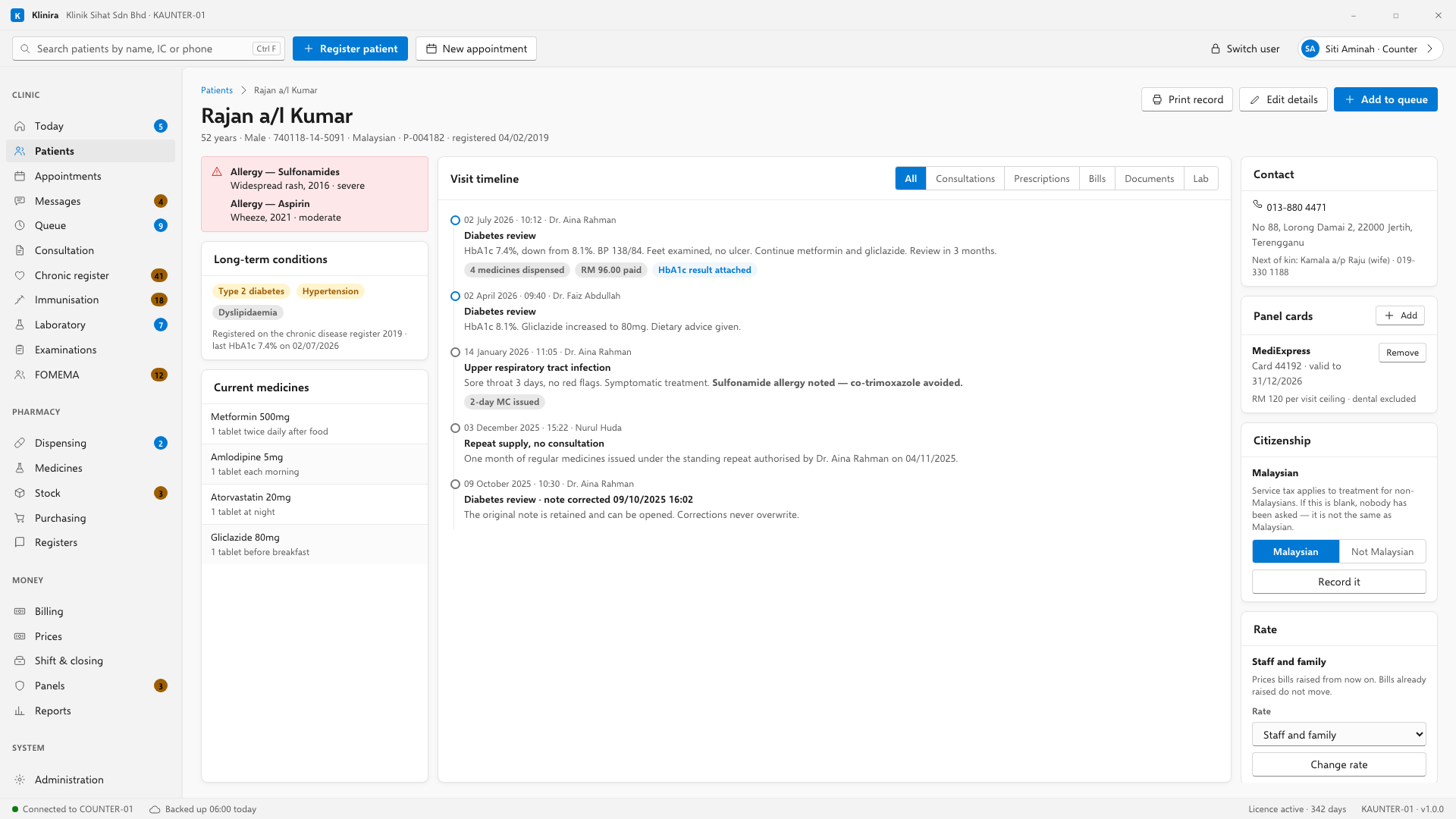
- Allergies are always visible. An allergy behind a tab is an allergy the doctor did not see.
- Long-term conditions and current medicines sit beside them, so the clinical picture is one glance.
- Editing details takes a lock, so two people cannot edit the same record at once. The lock is taken when you press Edit, not when you open the screen.
Putting a patient on a staff or family rate
- 1Open the patient's record.
- 2On the Rate card at the right, choose the price list.
- 3Press Change rate.
Panel cards
A patient's panel card lives on their record, not in somebody's memory at the counter. Add it once — the panel, the card number, and the date the card runs to — and every bill afterwards knows which panel is paying without being told again.
- 1On the Panel cards card at the right, press Add.
- 2Choose the panel, type the card number, and put in the date the card is valid to.
- 3Save. Remove takes a card off when a patient changes employer.
Citizenship, and why it is a money question
Service tax applies to private healthcare given to somebody who is not a Malaysian citizen, and does not apply to a Malaysian. So this one answer decides the tax on every bill the patient is ever given. It is asked at registration and can be recorded or corrected here at any time.
When the same person has been registered twice
It happens in every clinic: a patient comes back after five years, gives a new telephone number, and a second record is made. Both records then hold part of the truth. Joining them is on the patient search screen, under Two records for the same person, and only somebody with permission to merge sees it.
- 1Search, so both records are in the list in front of you.
- 2Click the record you are keeping — normally the one with the longer history.
- 3Open Two records for the same person and choose the duplicate from the list.
- 4Type why they are the same person. It is kept with the merge.
- 5Read the sentence above the button — it names which record stays — then merge.
The clinical history
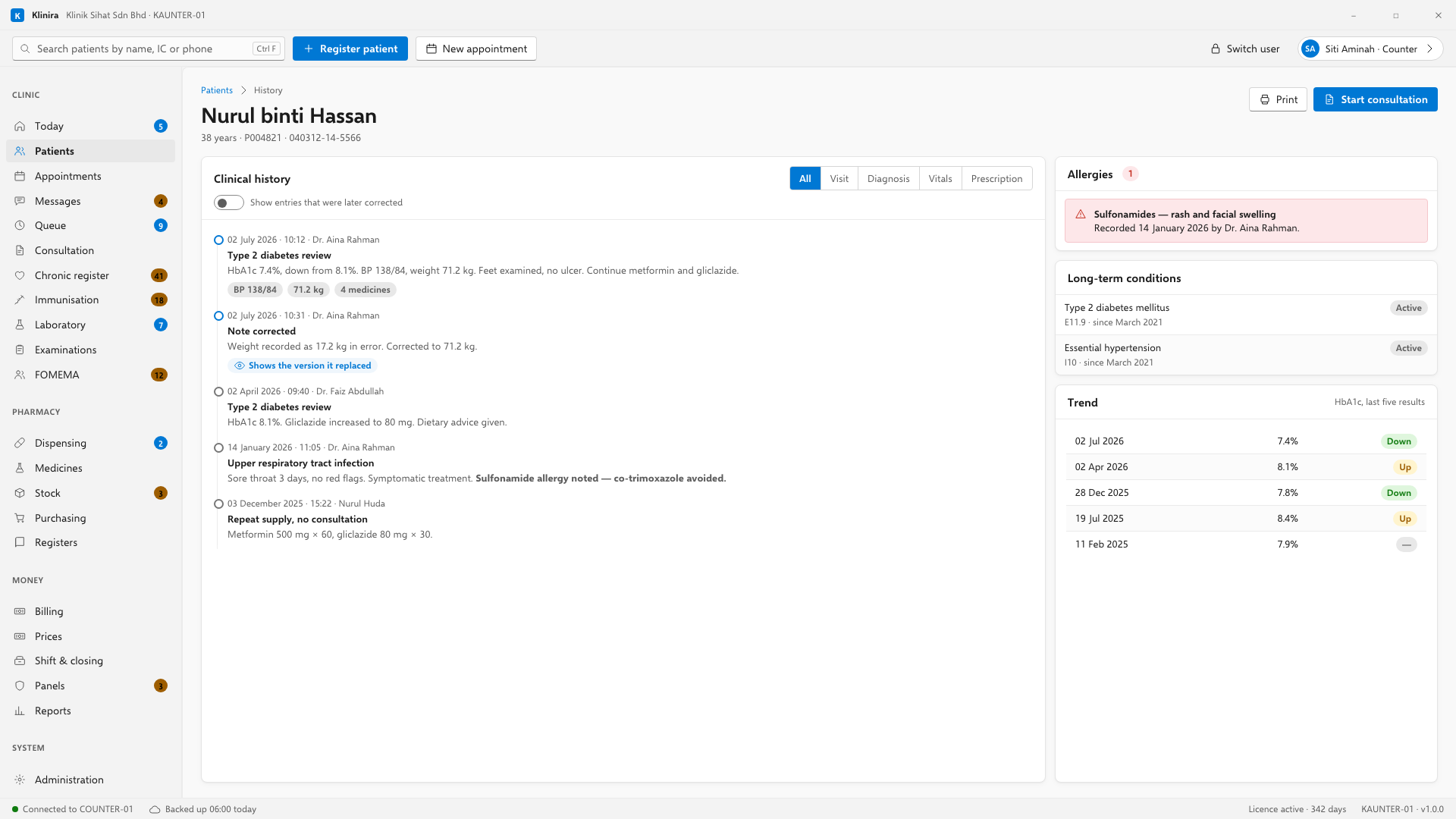
Filter it by kind — consultations, prescriptions, bills, documents — to find one thing in a long history. A note that was corrected shows both: the correction is current and the original is still there and still readable, because a medical record is never overwritten.
Take a place in the first installs
Klinira is being built now. Leave your details and you will hear what is finished, be asked what your clinic actually needs, and get the first install dates when it is ready.