Appointments and online booking
The calendar your staff work in, and the booking page a patient reaches from their own phone. The two are joined, but nothing a patient does writes into your calendar without somebody at the counter accepting it.
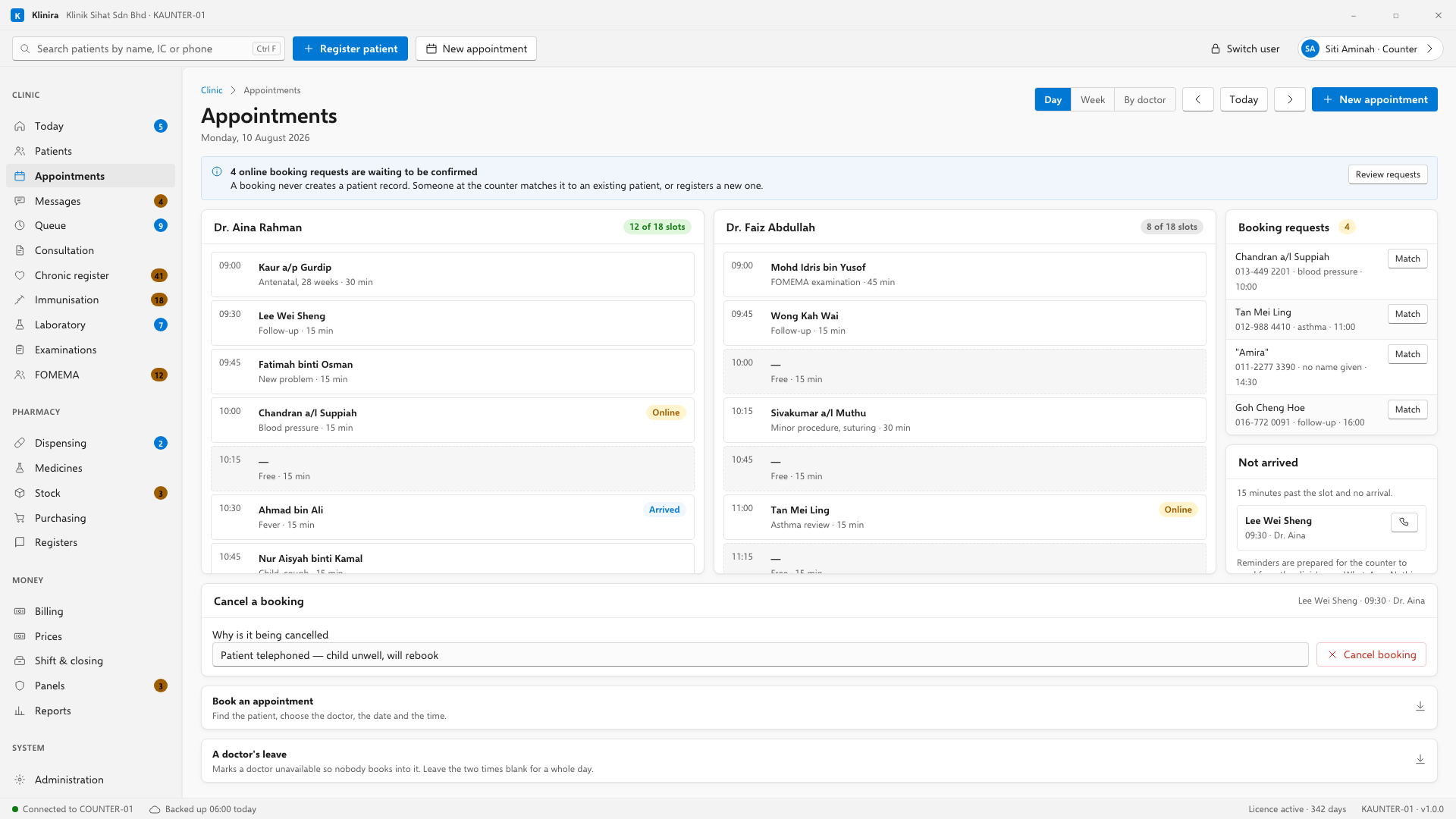
Making a booking
Book an appointment is the strip below the diary. It is closed until you open it, because this screen is read far more often than it is booked from — the counter has the day in front of them all morning.
- 1Open Book an appointment and start typing the patient's name, IC or telephone number.
- 2Choose the patient from the list. Klinira never picks one for you — two people in one house share a telephone number.
- 3Pick the doctor, the date and the time. Times may be typed with a full stop — 14.30 — because the keypad at a counter has no colon on it.
- 4Choose how long it will take. The default comes from the kind of visit.
- 5Press Book it. The patient gets a WhatsApp confirmation if the clinic has that switched on.
A doctor's leave
The second strip below the diary marks a doctor unavailable so nothing can be booked into that time. Leave the two times blank for a whole day, or fill them in for an afternoon. Tick Every week for a regular half day.
Cancelling and moving
- Drag a booking to a new time. The patient is told.
- Click the booking, then use Cancel a booking under the diary. It asks for a reason. It is not bureaucracy: three months later, somebody asks why a slot was empty, and the reason is the answer.
Online booking
Your clinic has its own booking page. A patient opens it on their phone, sees the times you have published, and asks for one. What arrives at the counter is a request, not a confirmed appointment.
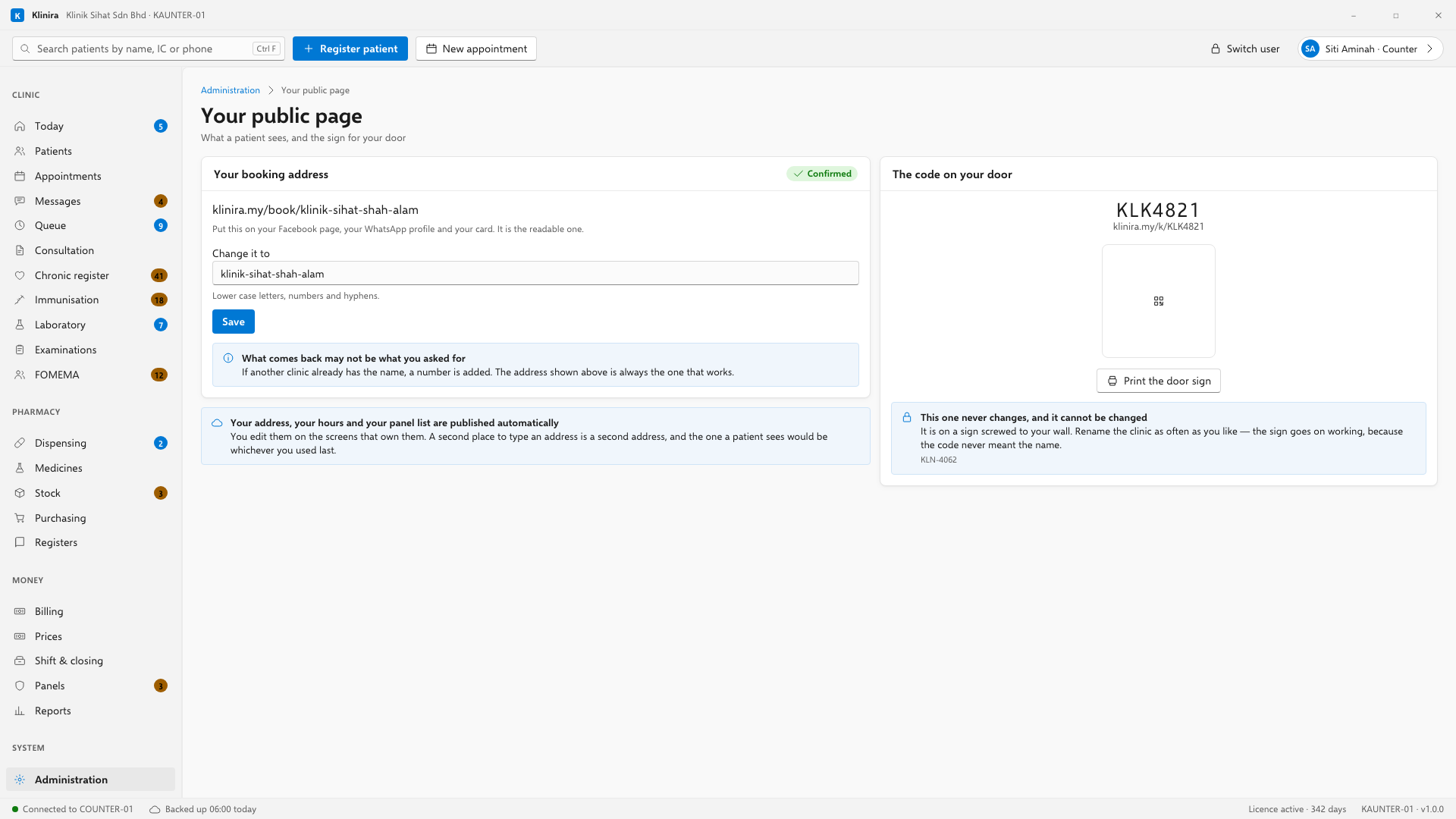
- 1Publish your opening hours and the times you are willing to offer. A day with no closing time is published as closed rather than guessed at.
- 2A booking request arrives in Klinira. The counter sees it with the appointments.
- 3Accept it and it becomes a real appointment. Nothing writes itself into the book.
The door sign
Klinira prints a QR sign for the clinic door. Scanning it takes a patient to your booking page. The code on it is permanent and does not change if you later rename the clinic — a sign is the one thing in this product nobody reprints, because nobody reprints a sign they believe is right.
Take a place in the first installs
Klinira is being built now. Leave your details and you will hear what is finished, be asked what your clinic actually needs, and get the first install dates when it is ready.