Reports
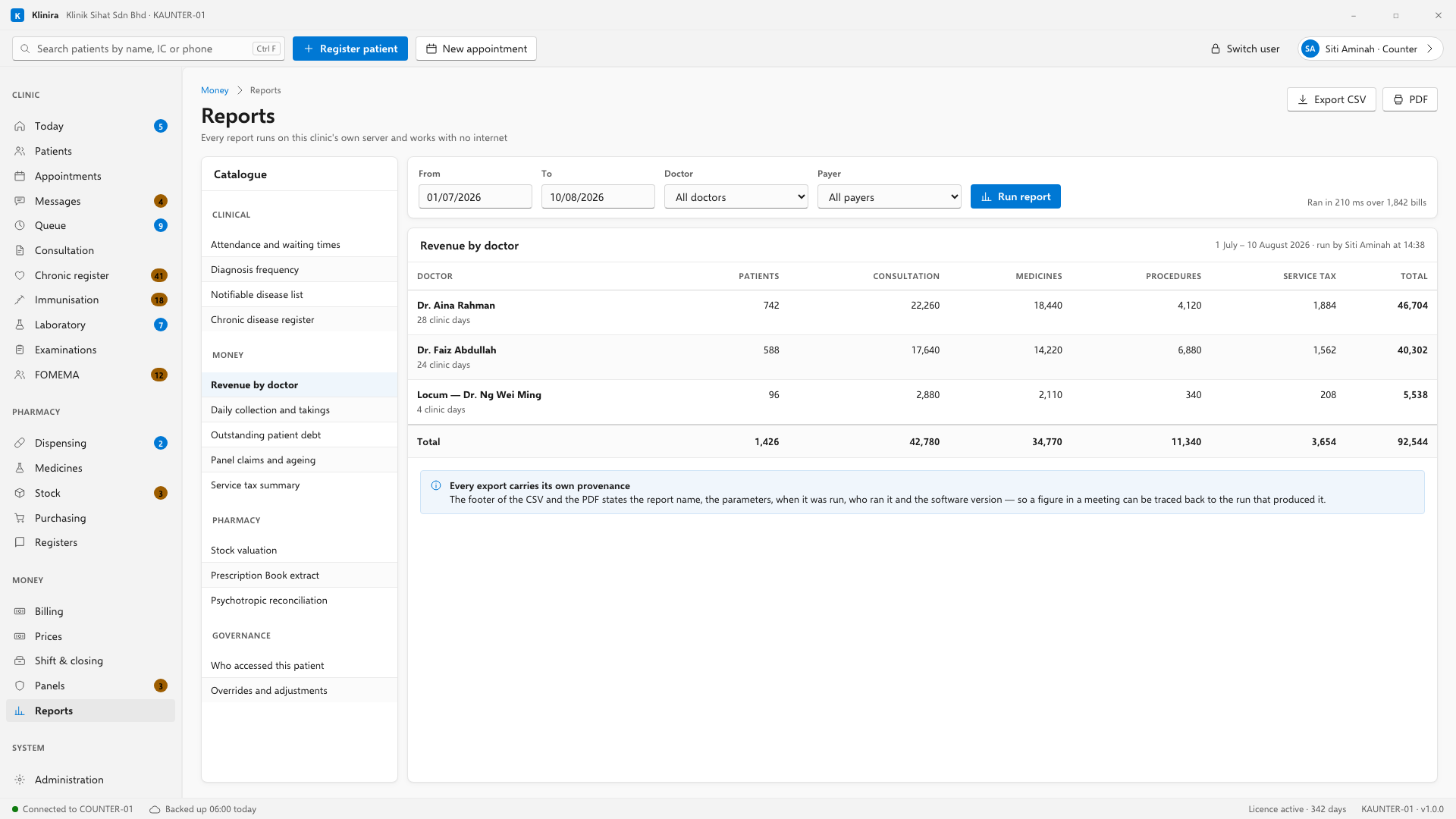
Twenty-six reports, grouped by what they answer. Every one runs on the clinic's own data, prints, and exports to CSV.
What they cover
| Group | Answers |
|---|---|
| Money | Daily takings, by method. Outstanding balances. Refunds and voids. |
| Panel | What has not been submitted, what is submitted and unpaid, what was underpaid. |
| Pharmacy | What was dispensed, stock movement, what is expiring. |
| Clinical | Diagnoses seen, patients on the chronic register, visits by doctor. |
| Operational | Visits by day and hour, waiting times, appointments not attended. |
| Audit | Who opened which patient record, and when. |
Running one
- 1Pick the report. You only see the ones your role allows.
- 2Set the dates, and any other filter it offers.
- 3Run it. Read it on screen, print it, or export it to CSV.
The total under a report is the total for the whole report, not for the page in front of you. A figure that changed when somebody clicked Next is a figure that ends up in a bank reconciliation.
Two things worth knowing
- A visit that was never billed shows as unbilled, not as zero. Zero would read as free treatment; blank reads as a bill nobody raised, which is what it is.
- Some rows are shown but not counted — money applied from a deposit, for instance. The row says so.
The owner's remote view
An owner can see the clinic's summary numbers from outside the clinic. Only aggregate figures leave the building — no patient name, no record, nothing that identifies a person.
Take a place in the first installs
Klinira is being built now. Leave your details and you will hear what is finished, be asked what your clinic actually needs, and get the first install dates when it is ready.