Laboratory results
The report that comes back from Pathlab, filed against the patient with its numbers in — and the list of results nobody has read yet, which is the part that matters.
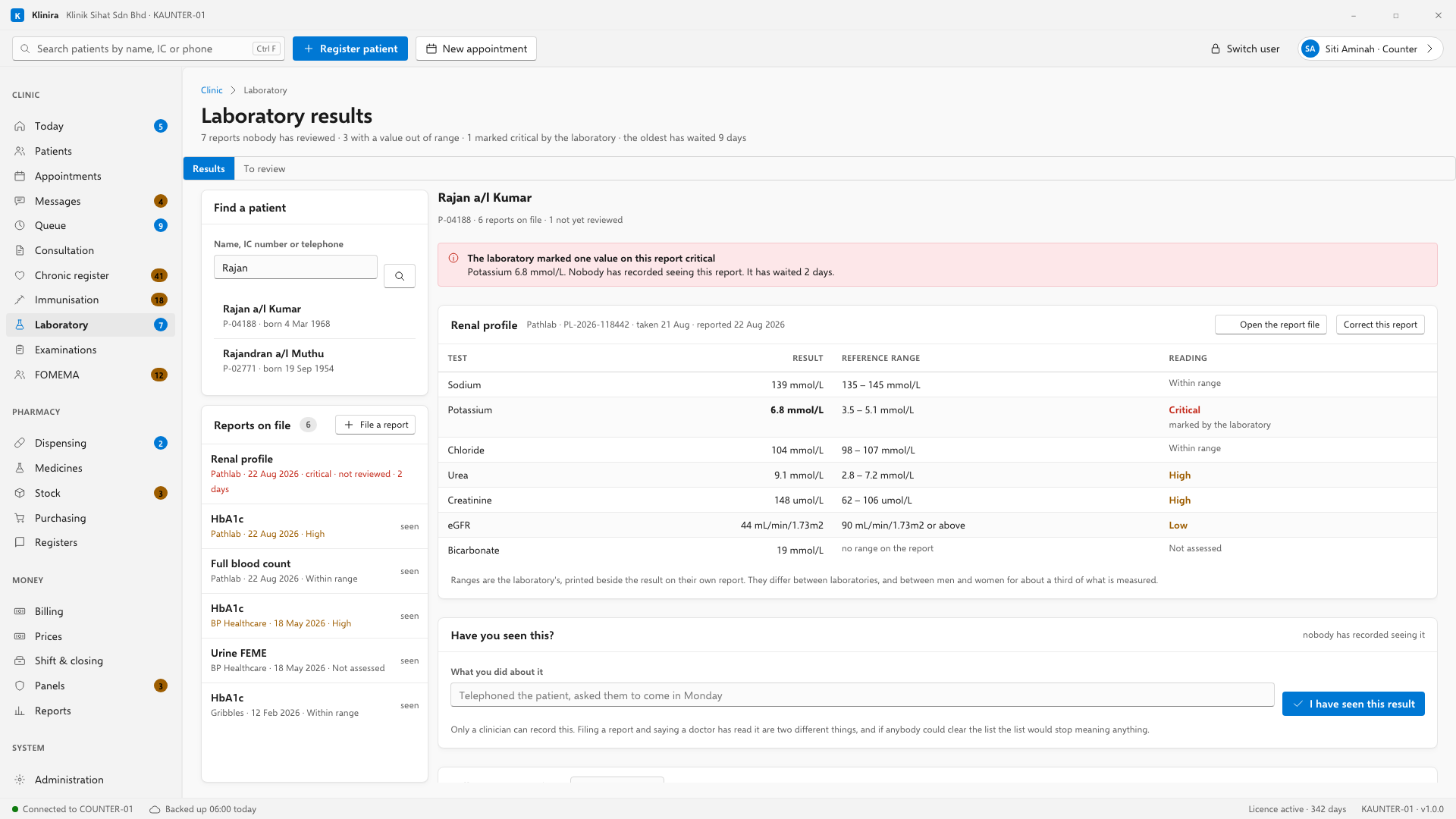
Filing a report that has come back
- 1Find the patient, then press File a report.
- 2Say which laboratory sent it and what was asked for. Choosing the panel — Full blood count, Renal profile — fills the test name in for you.
- 3Attach the file. The laboratory's PDF, or a photograph of the paper.
- 4Key the numbers in — or paste them, which is much faster. See below.
- 5Press File the report.
Pasting the report instead of typing it
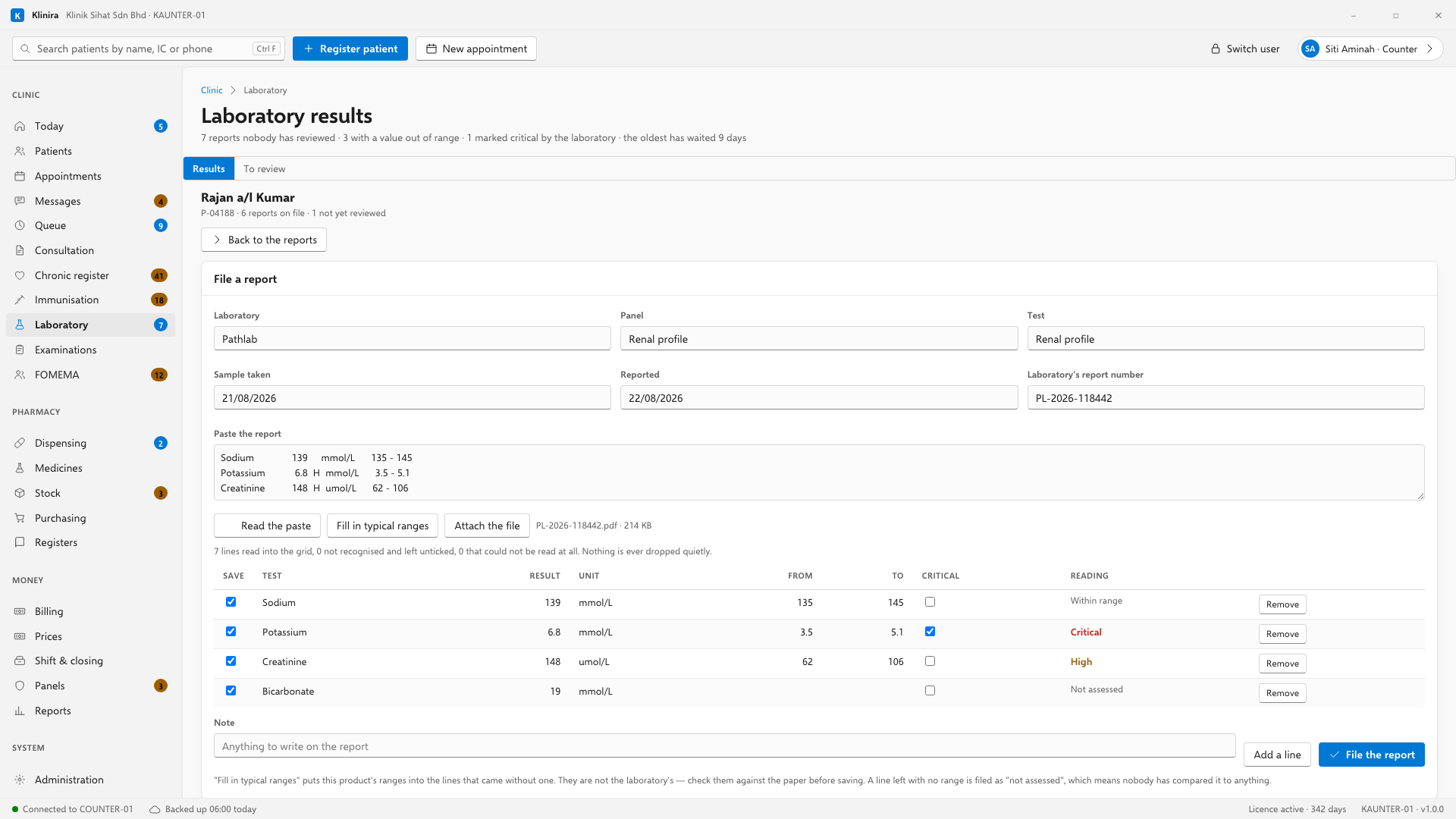
Open the laboratory's PDF, select the results, copy them, and paste into the Paste box. Klinira reads each line into the grid with its name, its unit and the range the laboratory printed beside it. Check them against the paper before you save — that is what the grid is for.
- Lines Klinira recognises arrive ticked. SGPT is understood as ALT, PCV as haematocrit, and so on for the names each laboratory prints differently.
- Lines it does not recognise arrive unticked, with the name the report used. Tick one if it is a real result; leave it if it was a page number.
- Lines it could not read at all are listed underneath. Nothing is dropped quietly.
- A line whose numbers were printed in an order Klinira cannot be sure of — the range before the result — is listed rather than guessed at. Between the bottom of the range and the patient's own figure there is nothing the software can choose.
Ranges are the laboratory's, not ours
Whatever is printed beside the result on the paper is what gets stored, and it is what decides whether a value shows as high or low. Ranges differ between laboratories and between men and women, so Klinira never overrules the one on the report.
Saying you have seen a result
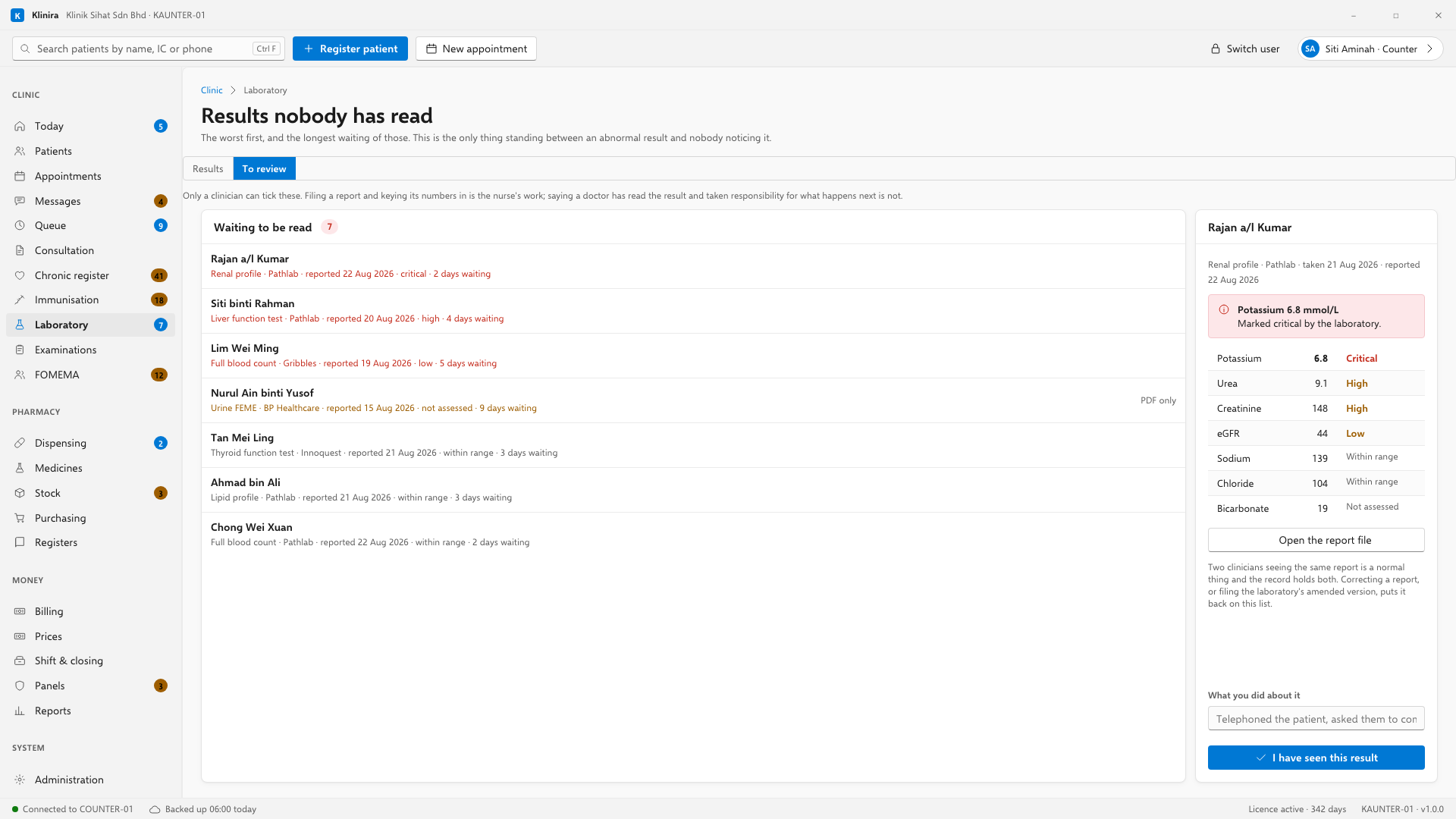
A report stays on this list from the moment it is filed until a doctor records that they have read it. Choose a line and the patient's whole record opens beside it, so you are not ticking a potassium without knowing it is the third high one this year.
Write what you did about it if you did anything — telephoned the patient, asked them to come in Monday, started treatment. In two years that sentence is all there is. Two doctors seeing the same report is normal and the record holds both.
Following one result over time
Under the report, choose a test the patient has at least two numbers for and Klinira draws it over time, with the laboratory's range shaded behind it. Every value is written out underneath as well as plotted, so it is readable on a printout and to somebody using a screen reader.
Correcting a report
If a value was typed wrongly, or the laboratory sends an amended report, press Correct this report. What it already says is loaded into the form; change what was wrong, say why, and save. The old version stays with its date and your name on it.
The report to run
Laboratory results nobody has reviewed — the same question as the To review tab, printed, with no cap on it. Worth running once a week by whoever runs the clinic, because it is the one list where a long tail means something has gone wrong with the routine.
Take a place in the first installs
Klinira is being built now. Leave your details and you will hear what is finished, be asked what your clinic actually needs, and get the first install dates when it is ready.