Medical certificates and referral letters
The MC a clinic writes every day it opens, and the letter that sends a patient to a hospital. Both are numbered, both are kept on a register, and neither is ever edited after it is issued.
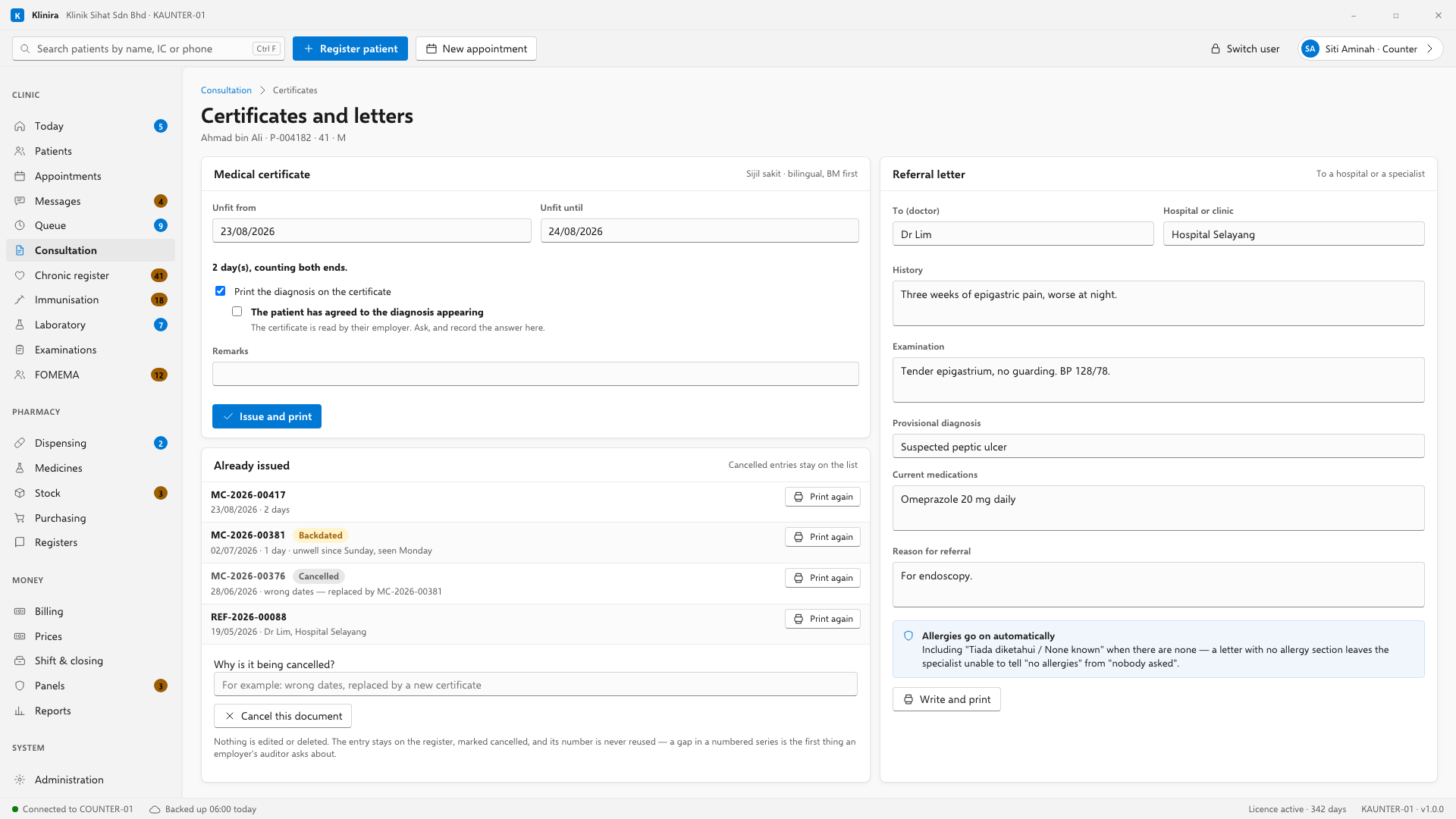
Writing a medical certificate
- 1Open the patient's consultation and press Certificates and letters.
- 2Set the first and last day the patient is unfit. Klinira counts the days for you, and it counts both ends: the ninth to the tenth is two days.
- 3Decide about the diagnosis. Leave it off unless the patient has said it may appear.
- 4Press Issue and print. The certificate is numbered and goes straight to the printer.
A certificate that starts before today
A patient who was ill on Saturday and comes in on Monday needs a certificate that starts on Saturday. That is allowed. Klinira asks why, once, and keeps the answer with the certificate and on the register — because a backdated certificate with no stated reason is the one a medical council asks about.
The numbers, and why they never have gaps
- Every certificate gets the next number in an unbroken series, given at the moment it is issued.
- A number is never reused, and never given to two certificates.
- Employers and third-party administrators audit these. A gap in the numbering is the first thing anybody asks about.
Getting one wrong
An issued certificate is never edited. The patient has the paper and their employer may already have a copy, so changing it in the system would leave two different documents with the same number on them.
- 1Find it in the list and select it.
- 2Type why it is being cancelled.
- 3Press Cancel this document, then write a new one.
Printing one again
A patient who lost their certificate gets the same document again: the same number, the same dates, and the same decision about the diagnosis. It is printed from what was stored, not from what is on the screen now, so a reprint three months later cannot say something the original did not.
Referral letters
- 1Fill in who it goes to and which hospital or clinic.
- 2Write the history, the examination, what you think it is, and what the patient is taking.
- 3Say why you are referring. Press Write and print.
Who may write them
| Role | May issue |
|---|---|
| Doctor, locum doctor, owner | Certificates and referrals |
| Nurse, counter, pharmacy, accounts | Neither |
These are two separate permissions, so a clinic can give one without the other if it wants to. Change them in Administration, Roles.
Related pagesThe consultationPrescribingRoles and permissions
Take a place in the first installs
Klinira is being built now. Leave your details and you will hear what is finished, be asked what your clinic actually needs, and get the first install dates when it is ready.