Prescribing
Write the prescription once. The pharmacy sees it, the bill picks it up, the label prints from it, and the statutory register entry is made from it.
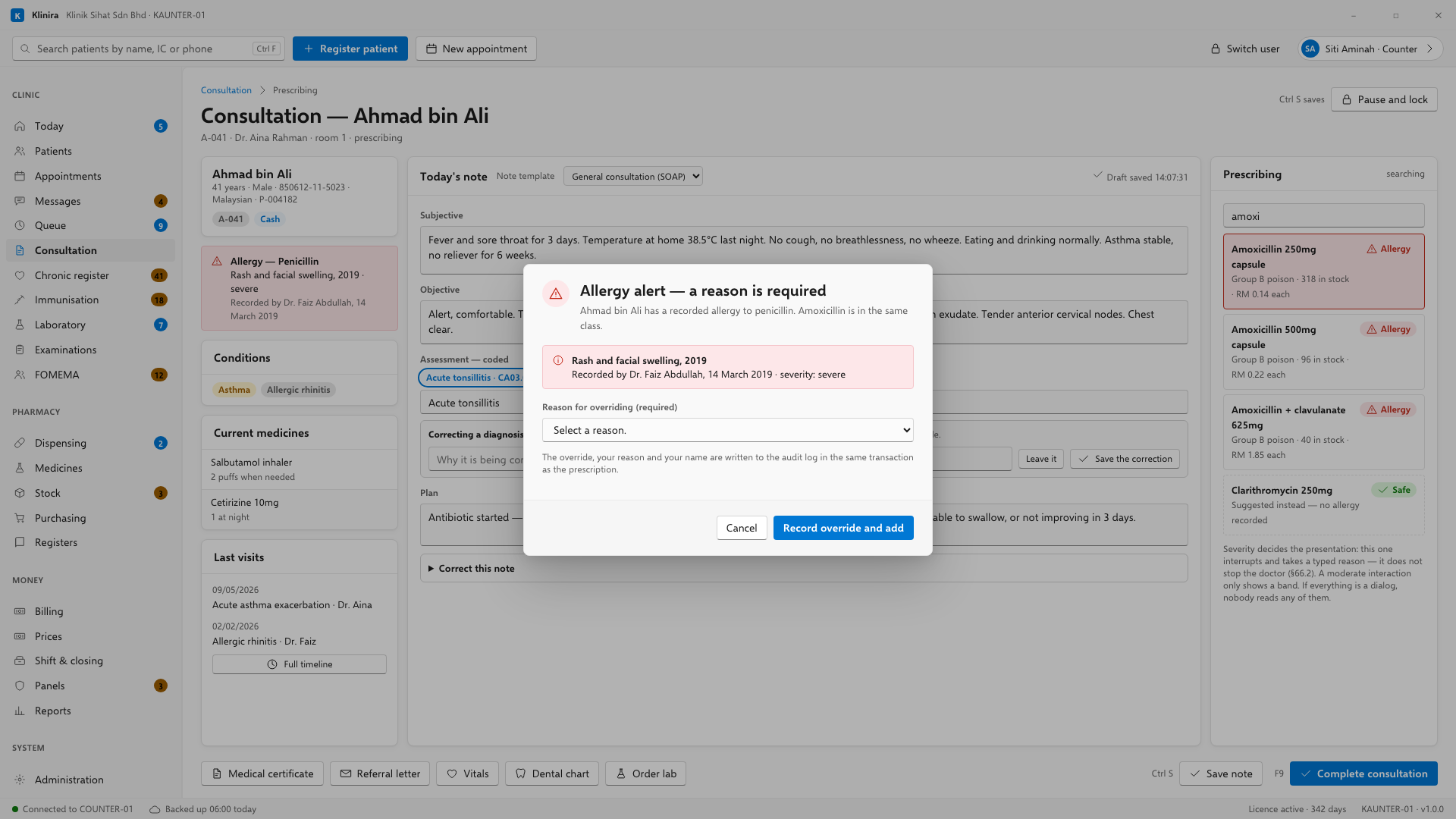
Writing one
- 1Start typing the drug name. Klinira searches both the generic and the brand names the clinic stocks.
- 2Set the dose, the frequency and the duration. The quantity is worked out from those three.
- 3Check the instruction line. It prints on the label in Bahasa Malaysia and English.
- 4Add the next drug, or save.
What Klinira checks
- Allergy. Against what is recorded on the patient, and against the class the drug belongs to.
- Interactions with what the patient is already taking.
- Dose for weight and age, for a child.
- Whether the clinic has enough in stock to dispense it.
The reference data ships unverified and says so on screen. We are not pharmacists. Your own doctor or pharmacist decides whether to rely on it, and the statutory basis for each classification is shown beside it so that decision can actually be made.
Repeats
A patient on long-term medicines can be given a repeat supply without a consultation, under a standing authorisation from the doctor. The record shows who authorised it and when, and the supply still goes through dispensing and still reaches the Prescription Book.
Printing
- The prescription prints with the doctor's MMC number on it, because the law requires it to be there.
- The medicine label prints in Bahasa Malaysia and English, with the patient's name, the drug, the dose and the date.
- A label reprinted three months later prints identically. The layout does not depend on which fonts the computer happens to have.
Related pagesDispensingThe consultationThe statutory registers
Take a place in the first installs
Klinira is being built now. Leave your details and you will hear what is finished, be asked what your clinic actually needs, and get the first install dates when it is ready.