Dispensing
The pharmacy screen takes a prescription, picks the batch, prints the label, moves the stock and writes the statutory register entry — in one action, so none of those can be done and another forgotten.
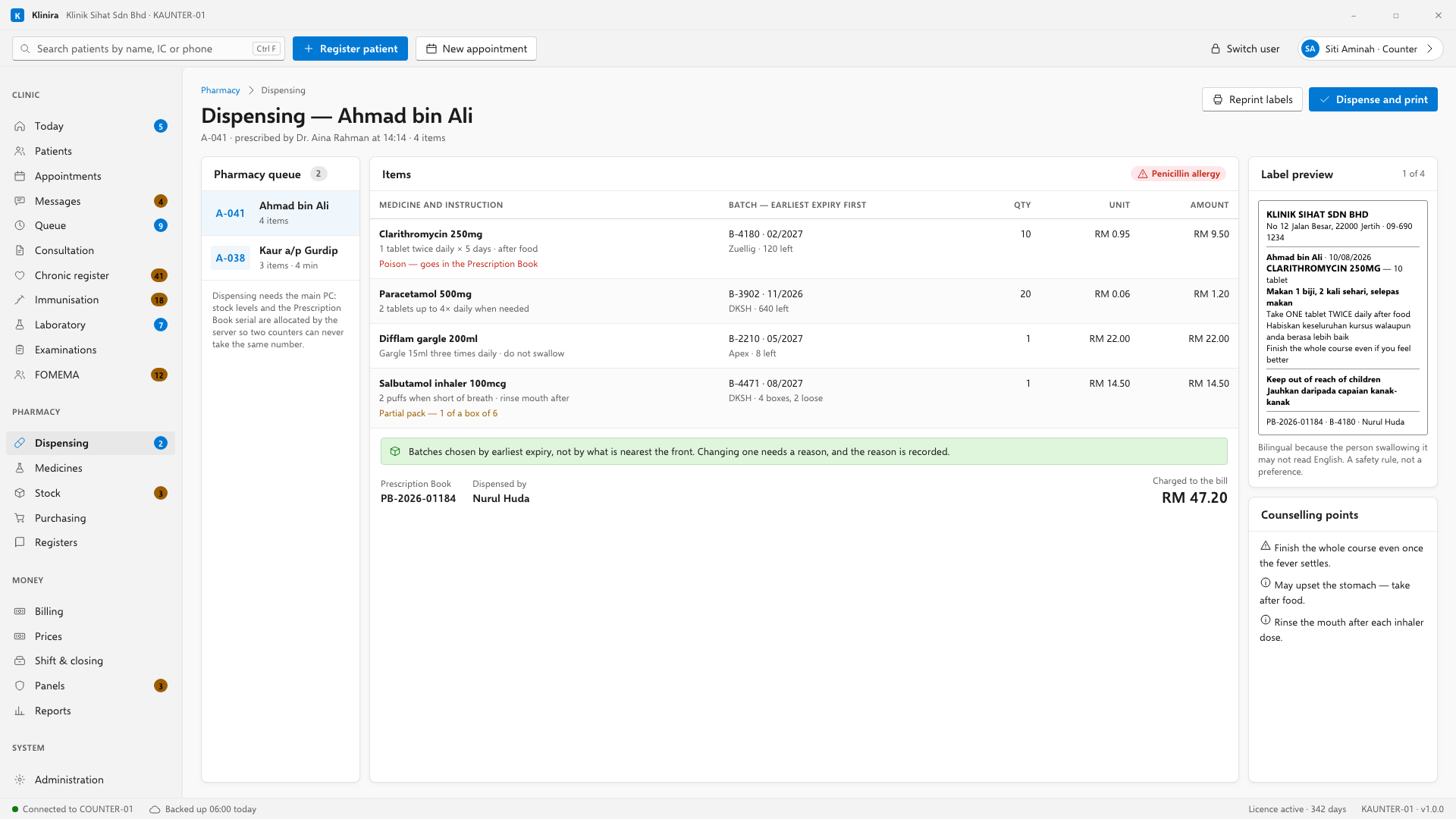
Dispensing a prescription
- 1Open the patient from the queue. Their prescription is waiting.
- 2Klinira picks the batch that expires first. Change it if you have a reason.
- 3Check the quantity. Partial packs are fine — six tablets out of a box of a hundred is exact, not rounded.
- 4Print the label and hand the medicine over.
- 5Move the patient on, out of the pharmacy step.
What happens automatically
- Stock comes down, by batch, to the exact quantity.
- The Prescription Book entry is written, with the serial number, for any poison supplied — not only Group B.
- A psychotropic supply is written into its own register as well.
- The bill line appears at the counter.
Looking up what you gave somebody
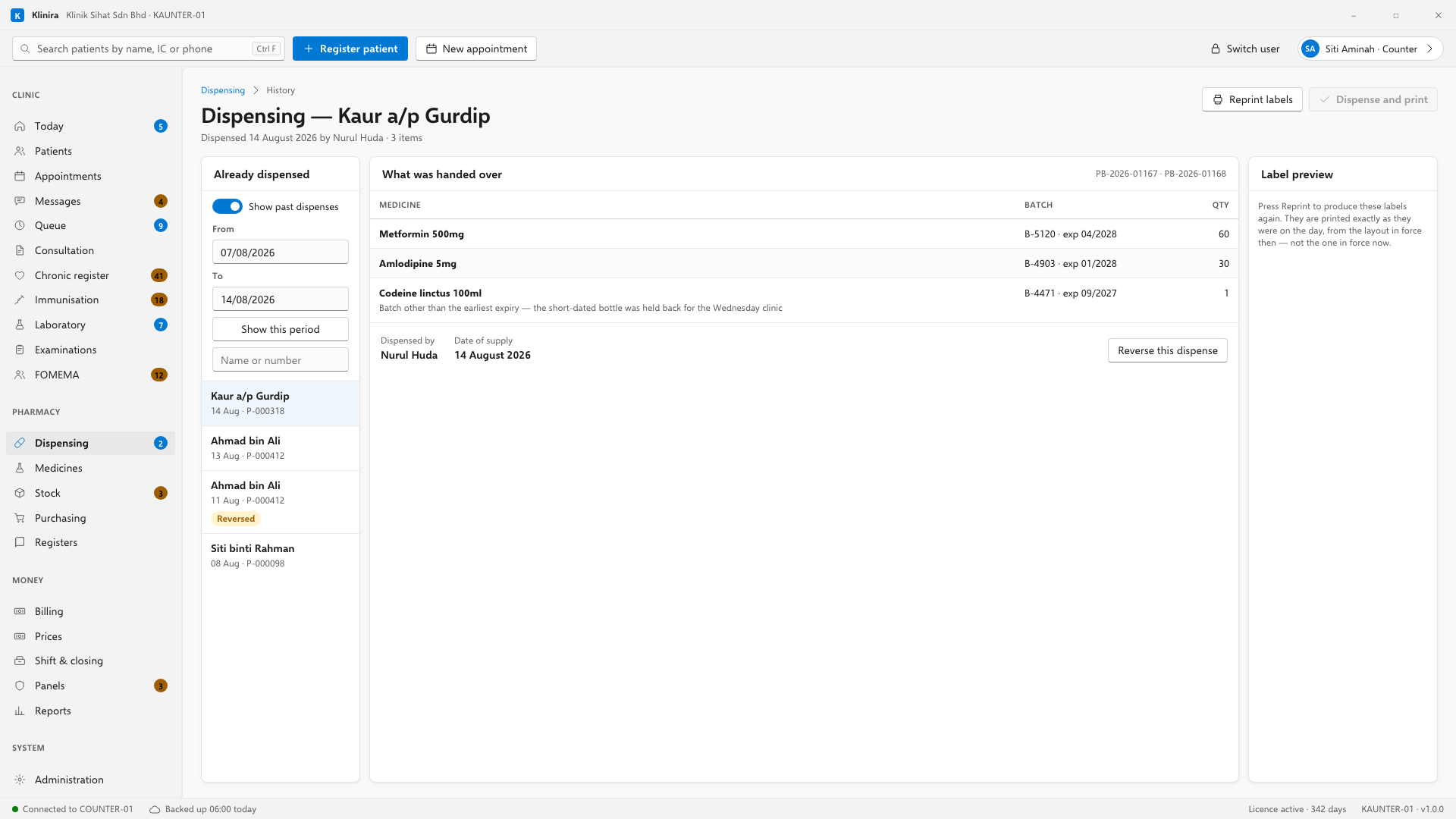
Somebody comes back a fortnight later and asks what their mother was given. Turn on Already dispensed at the top of the pharmacy queue. The same column now lists what went out, newest first, over whatever period you choose — and typing a name or a clinic number narrows it as you type, without waiting for the main PC.
Open one and you see the whole thing as it was: every medicine, the batch each came from, its expiry, the quantity, the reason if a batch other than the earliest-expiring one was used, and the register serial numbers it was written under. A dispense that was reversed stays on the list and is marked as reversed — it is part of what happened.
Reversing a dispense
If medicine was given to the wrong patient, or handed over and returned, reverse the dispensing entry — the one on screen, or one you have opened from Already dispensed. Stock goes back, the register entry is marked reversed with a note beside it, and the serial number is never reused.
Printing a label again
A label that jammed, tore or went on the wrong box is reprinted from Reprint labels. It prints the same label with the same batch on it, marked as a reprint — the medicine that left the building does not change because a sticker did.
Dispensing needs the main PC
This is the one workflow that will not queue up and run later. A dispense takes a specific batch and dates a statutory serial number to the day of supply. Replayed an hour later it takes stock somebody else has already taken, and dates the entry wrongly. An offline dispense is not a delayed dispense; it is a wrong one.
Take a place in the first installs
Klinira is being built now. Leave your details and you will hear what is finished, be asked what your clinic actually needs, and get the first install dates when it is ready.