Working when the internet is down
Almost everything carries on. The exceptions are two, they are deliberate, and Klinira says which one you have hit rather than showing a general failure.
Two different outages
| What is down | What stops |
|---|---|
| The internet | Nothing inside the clinic. Cloud backup and the patient's booking page pause. |
| The clinic network, or the main PC | The other computers lose the records. Notes still save locally. |
What keeps working
- Writing a consultation note. It saves on your computer and goes to the main PC when the connection returns.
- Registering a patient, and changing their details.
- Booking, moving and cancelling appointments.
- Reading any record you have opened recently on this computer, marked with when it was last true.
- The waiting room screen, because it reads from the clinic's own server.
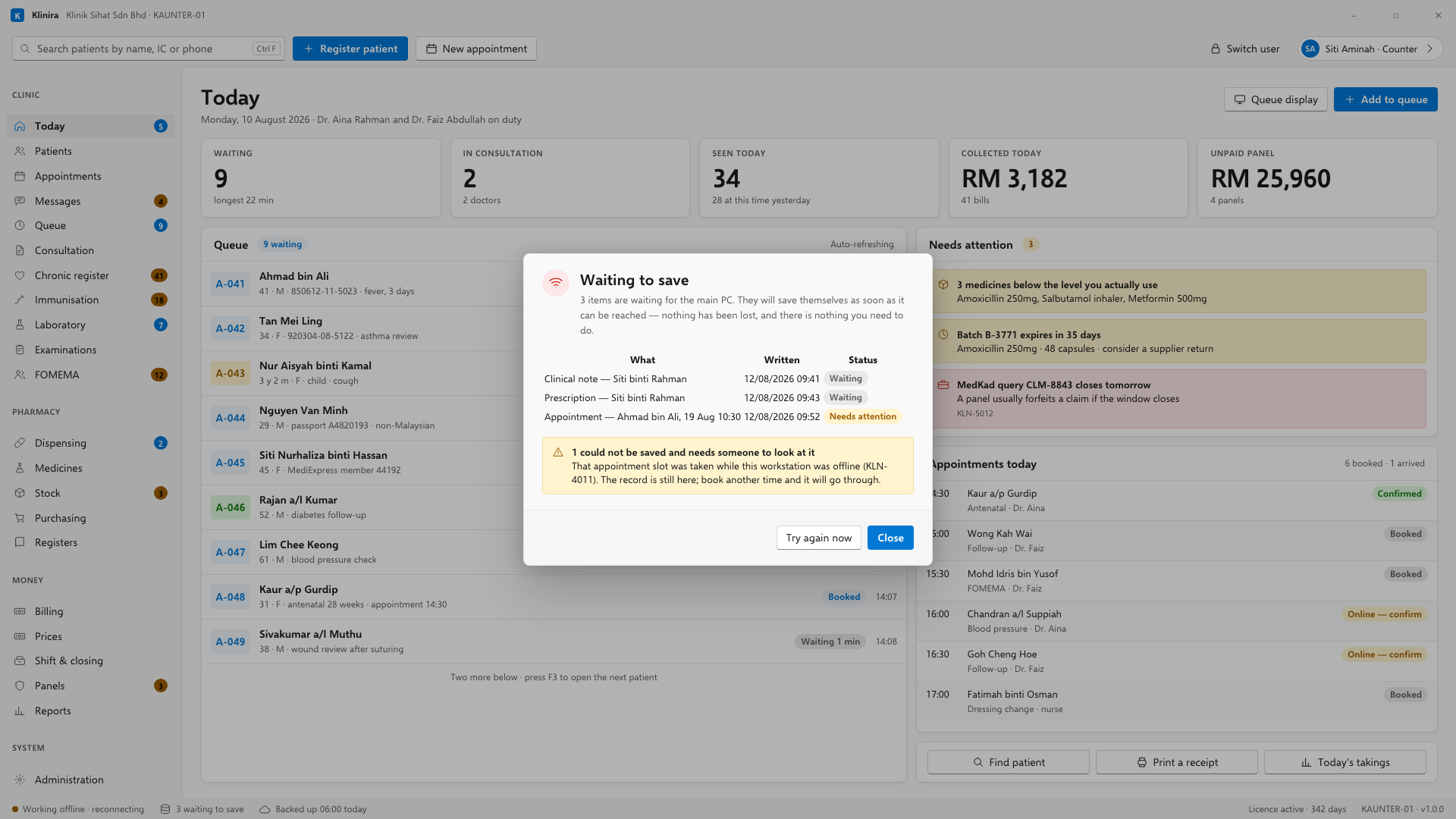
The strip at the bottom shows how many writes are waiting. Click it to see what they are. They send themselves when the connection returns; you do not have to do anything.
The two that will not work, and why
- Dispensing. A dispense takes a specific batch and dates a statutory serial to the day of supply. Replayed an hour later it takes stock somebody else has taken and dates the entry wrongly.
- Billing. An invoice number has to be allocated in sequence by one machine, and a bill raised twice is a bill the patient sees once.
A record read from the cache says so
When you open a patient and the main PC cannot be reached, Klinira shows the last version this computer saw, with a line saying when that was. A cached patient shown as though it were live is worse than no cache at all, because a doctor cannot tell that the allergy list in front of them was written down yesterday.
Take a place in the first installs
Klinira is being built now. Leave your details and you will hear what is finished, be asked what your clinic actually needs, and get the first install dates when it is ready.