FOMEMA — foreign worker examinations
The board that tells a screening clinic which of its open cases is waiting on them. Klinira holds the clinic's side of a FOMEMA case; the findings are still keyed into FOMEMA's own portal, because it has no connection for other software.
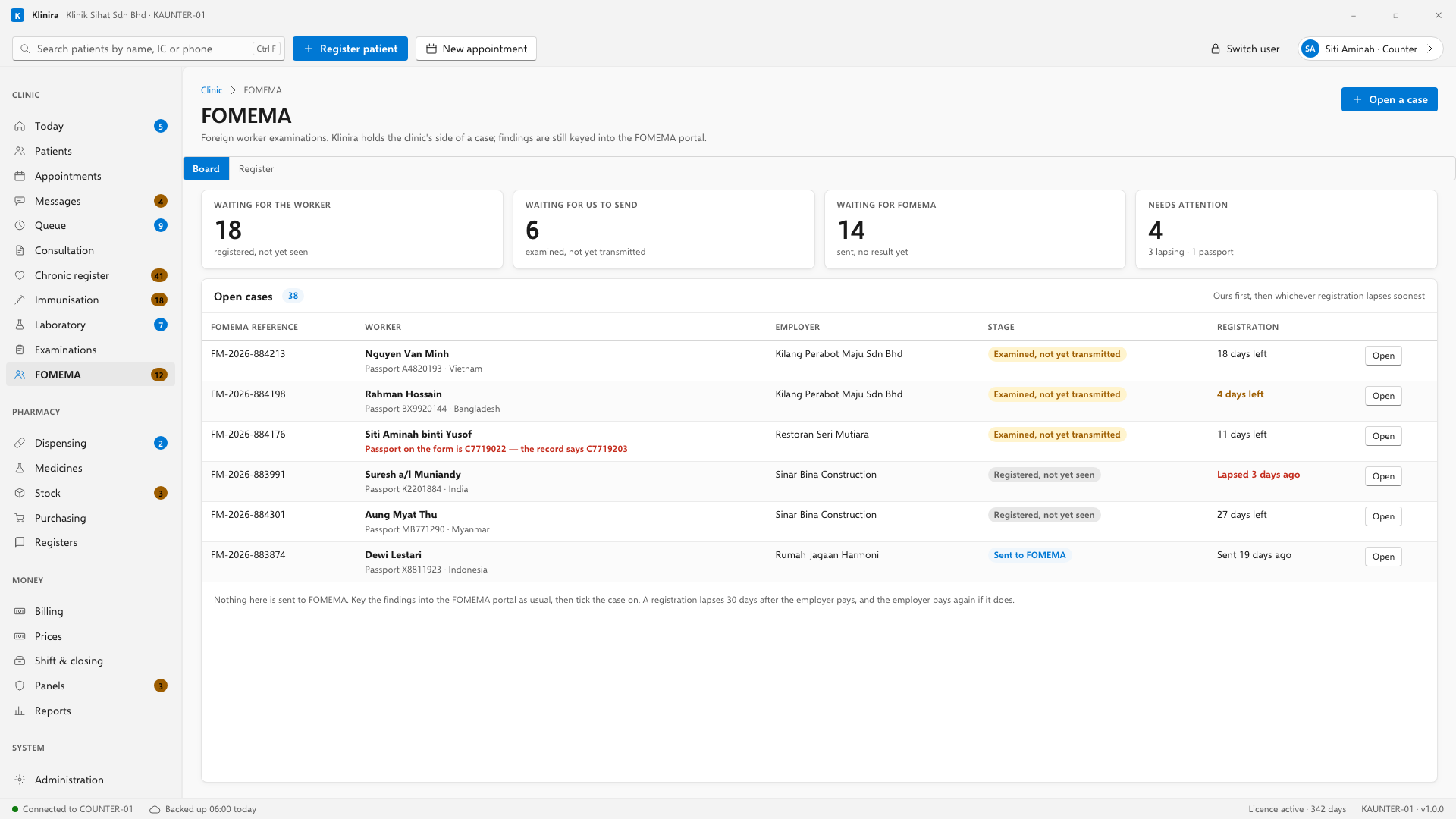
The rule the whole thing turns on
The five stages
| Stage | What it means | Waiting on |
|---|---|---|
| Registered, not yet seen | The employer has paid and the form exists | The worker |
| Examined, not yet transmitted | You have examined; the findings are in a tray | You |
| Sent to FOMEMA | Keyed into the portal | FOMEMA |
| Result returned | FOMEMA has answered | Nobody |
| Closed without a result | The worker never came, or the employer withdrew | Nobody |
The second one is why the board exists. It is the only place in the chain where the delay is yours, and it is invisible on paper — the file is in a tray, somebody means to key it in this evening, and nobody counts how many trays there are. The board counts them and puts them at the top.
Opening a case
- 1The worker arrives with a printed FOMEMA form and their original passport. Go to FOMEMA and press Open a case.
- 2Find the worker. If they are not a patient yet, register them first as you would anybody else.
- 3Type the FOMEMA reference exactly as it is printed on the form.
- 4If the form shows the day the employer paid, put it in. This is the one worth chasing — see below.
- 5Type the passport number from the form, and the employer.
The passport is the mistake that matters
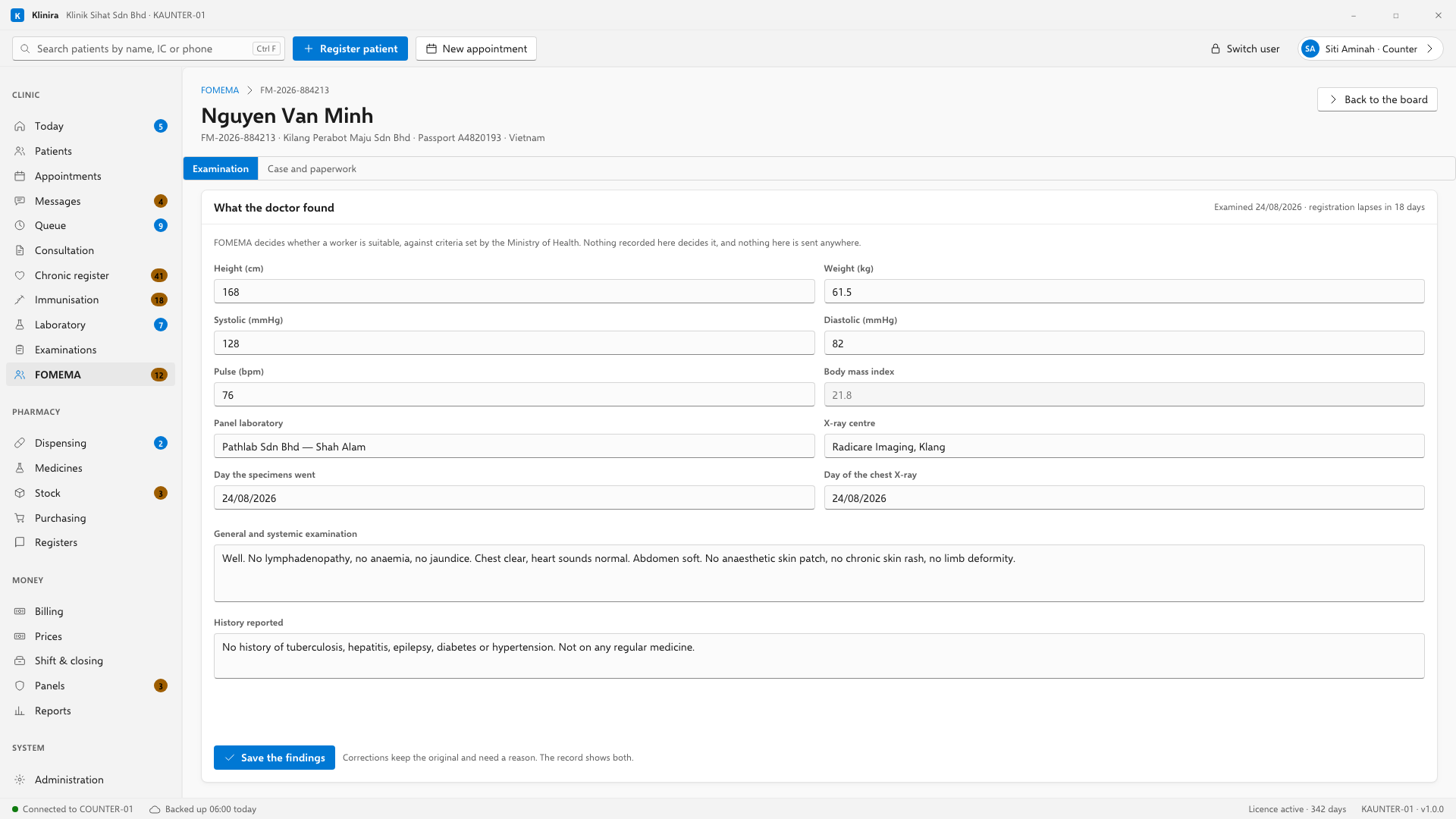
The two clocks
- The registration lapses thirty days after the employer paid. Past that the employer pays for a second form — which is the most expensive thing that can go quietly wrong here. The board shows the days left and turns them red when they run out.
- A result FOMEMA has certified stays available to Immigration for a hundred and eighty days from the examination.
- If nobody keyed in the day the employer paid, the screen says “No date recorded” rather than guessing. Guessing would tell you that you have thirty days when you may have four.
Recording the examination
The Examination tab is the medical record: height, weight, blood pressure, pulse, and the general and systemic examination in your own words. The body mass index is worked out as you type and is never typed. There is no fitness box on this page and there is not meant to be.
Record which panel laboratory the specimens went to and which X-ray centre the worker attended. Neither sends anything back to you — they transmit to FOMEMA — so this is there for one reason: when a case is stuck, you know who to telephone.
Moving the case on
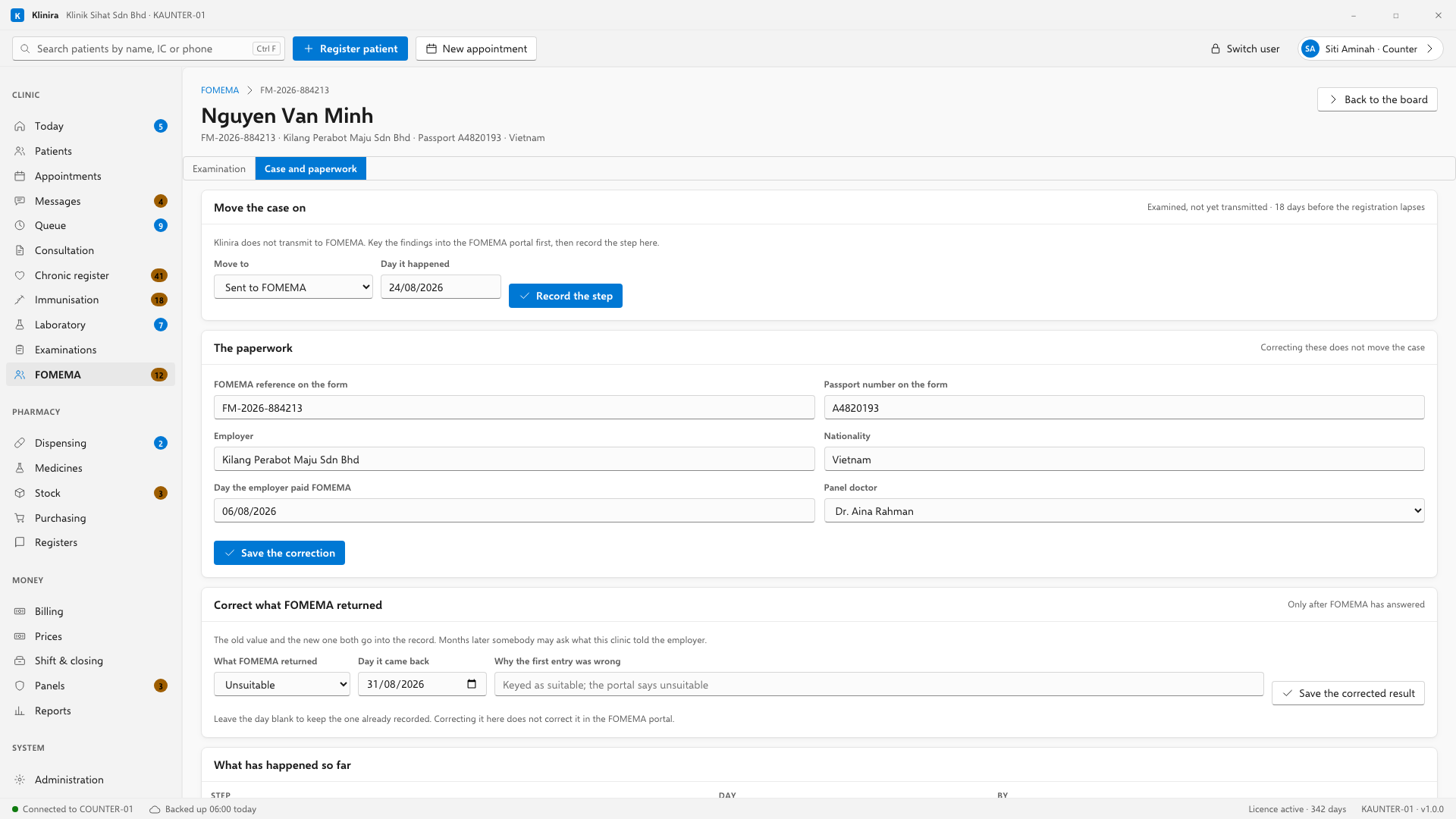
- Once the findings are in the FOMEMA portal, move the case to “Sent to FOMEMA”.
- When FOMEMA answers, move it to “Result returned” and record what came back — suitable or unsuitable, in FOMEMA's own words.
- A case that went nowhere is closed with a reason. The worker never came, the employer withdrew, the registration lapsed — the employer will ask, and the register keeps the answer.
- A case only moves forward. If one was ticked on by mistake, correct it on the Case and paperwork tab and say what happened.
You can skip a stage. A clinic keying in a fortnight of paper on a Tuesday afternoon goes from Registered straight to Sent, and nothing objects — what is refused is going backwards, because a case that has been sent to FOMEMA cannot become one that has not.
The register, and reporting by employer
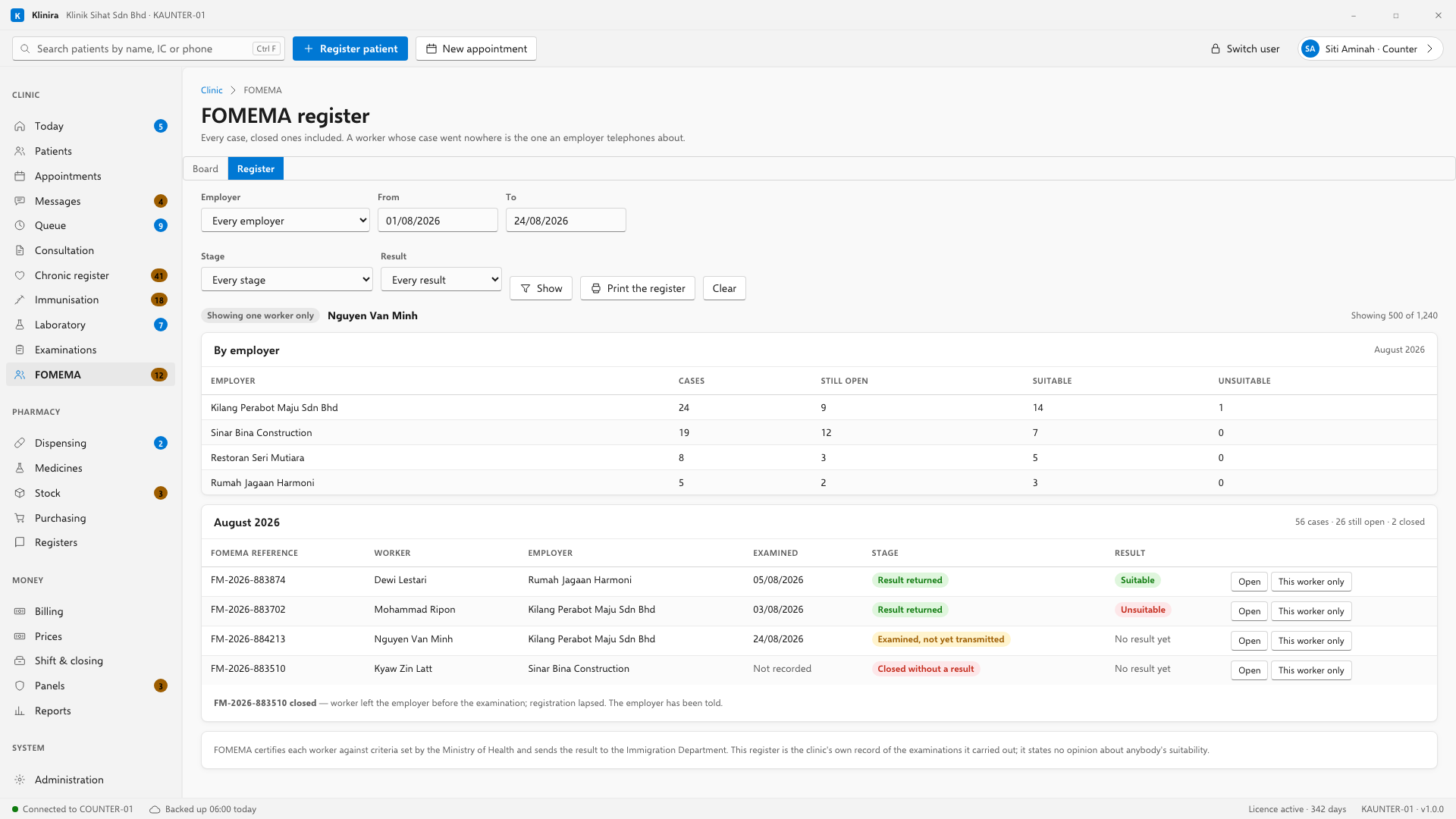
- Filter by employer and by month, and print it. The printed register is landscape, closed cases are struck through, and their reasons are listed underneath.
- “By employer” answers the call you actually get: how is this employer's batch getting on. Total, still open, suitable, unsuitable.
- The printed register says in plain words that FOMEMA certifies and that the register states no opinion about anybody's suitability. It is on the paper because a register on a clinic's letterhead reads as a document that says something.
Who may do what
The counter can open cases, chase employers and tick cases on — that is front-desk work and none of it is clinical. What the counter cannot do is record the examination, and what they cannot see is what was found: a counter clerk with the board open sees the worker, the reference, the employer, the stage and the deadline, and nothing about the person's health at all.
What Klinira does not do
- It does not transmit to FOMEMA, appeal a result, or re-register a worker. All three are the FOMEMA portal, and a button that looked like any of them would be worse than nothing.
- It does not hold the laboratory results or the X-ray. Those go to FOMEMA, not back to you. If you want to keep a worker's blood results, file them the ordinary way in Laboratory.
- It does not print a FOMEMA certificate. FOMEMA certifies. What prints here is your own register.
- It does not show the fee or your annual quota. Both are FOMEMA's, both change, and a figure we printed beside your income would be believed.
Take a place in the first installs
Klinira is being built now. Leave your details and you will hear what is finished, be asked what your clinic actually needs, and get the first install dates when it is ready.