The licence
What you are entitled to, how long it runs, and what happens if it lapses. Nothing here ever takes your records away from you.
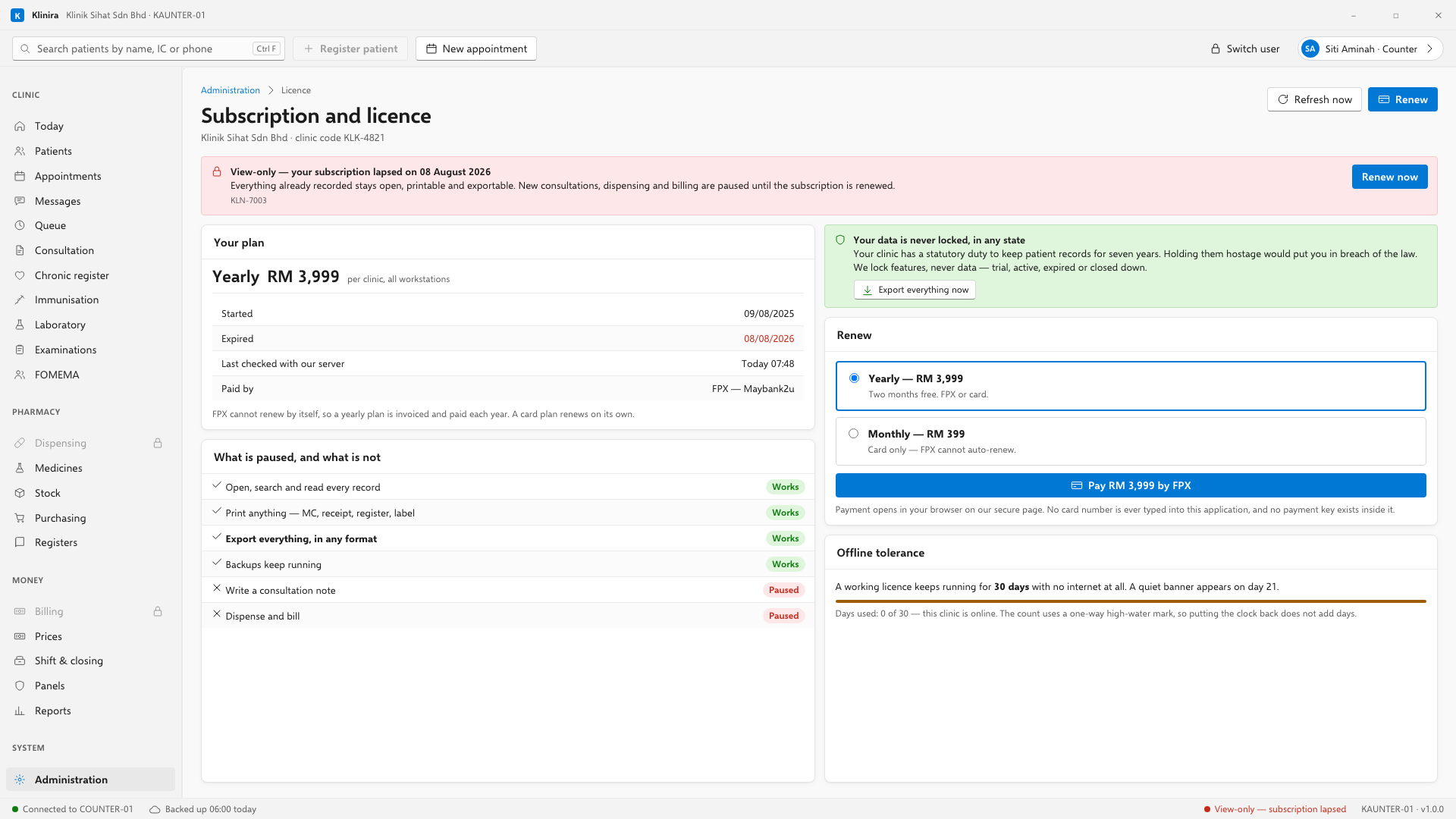
Activating
- 1Open Administration, Licence.
- 2Choose Buy or renew. It opens a Stripe payment page in your browser.
- 3Pay by card, or by FPX from your bank.
- 4The licence updates by itself the next time the clinic checks. No key to type.
- Card payments recur. FPX cannot take a recurring payment, so an annual plan paid by FPX is one transaction and we invoice you before it expires.
- A perpetual licence can also be paid by bank transfer against an invoice. Most clinics prefer that for an amount that size.
- We never hold your card number. The payment page is Stripe's.
If you bought a perpetual licence
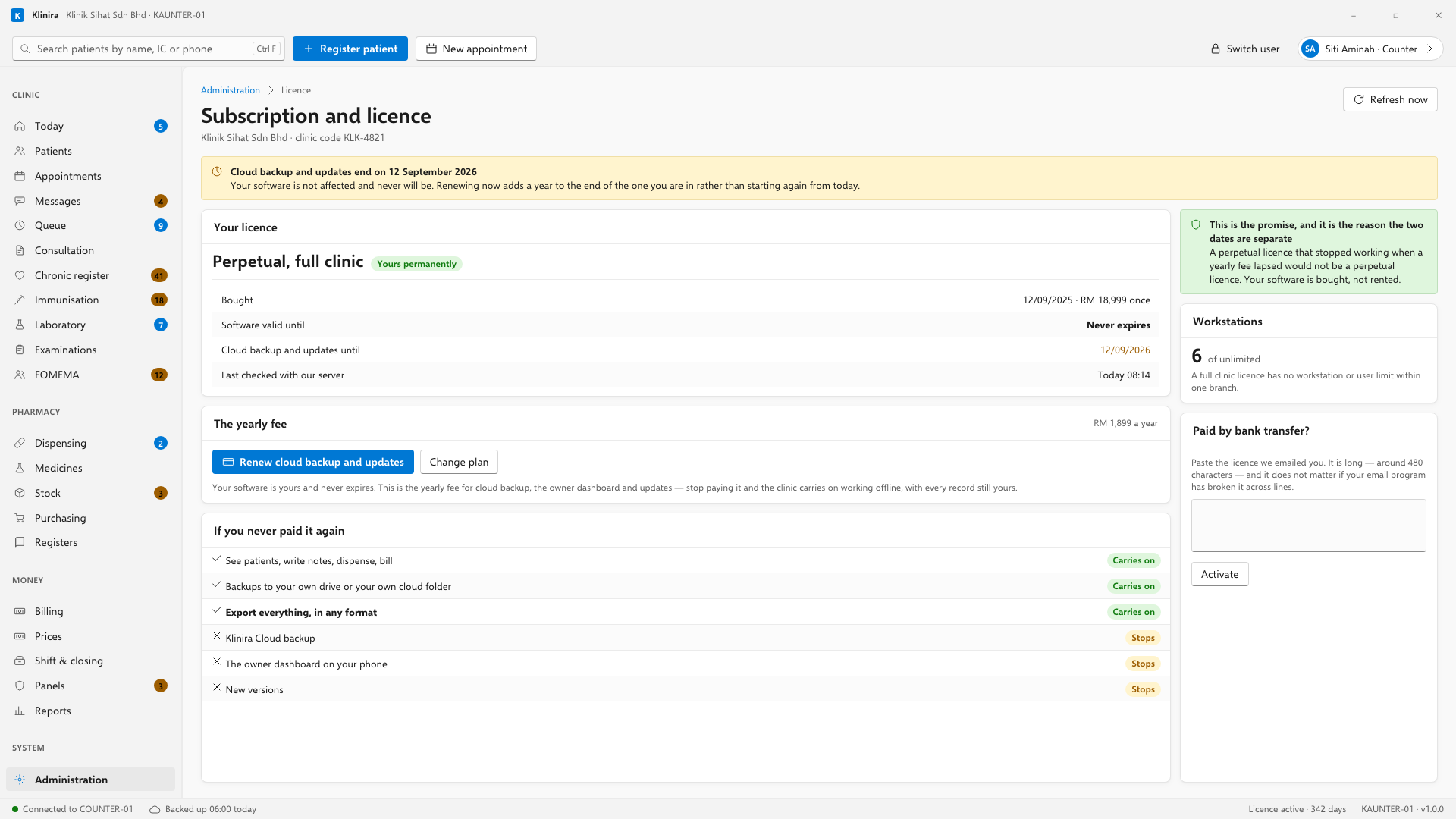
You own the software outright and it never expires. What renews each year is the service fee — RM1,299 for solo, RM1,899 for a full clinic. The button charges that, not the licence price again. In this version the fee buys updates and support: the button is labelled Renew cloud backup and updates, and cloud backup is not in this release, so that wording is due to change on the screen rather than in what you get.
- Stop paying it and the clinic carries on working, offline, with every record still yours. What stops is new versions and support — and, once they ship, cloud backup and the owner dashboard. Backup to your own drives never stops.
- Renewing early does not waste the months you have left — the new year is added to the end of the one you are in.
- Change plan sits beside it, for a solo clinic that has grown and wants the full clinic licence.
Activating without internet
If the clinic has no connection, we can send an activation string that you paste into the licence screen. It is the same signed licence, compacted, and it is bound to your clinic so it is worthless anywhere else. It is long, and it is meant to be pasted rather than typed.
Offline, and what happens if it lapses
| Situation | What happens |
|---|---|
| Subscription, offline under 30 days | Everything works normally |
| Subscription, offline over 30 days | Read-only until it can check again |
| Subscription lapsed | Seven days of grace, then read-only |
| Perpetual licence, offline for a year | Everything works. A perpetual licence never expires. |
| Perpetual, service period lapsed | The clinic keeps working. Klinira Cloud backup stops. |
What read-only means
- You can open every record, print anything, run every report and export all your data.
- You cannot write a new note, dispense, or raise a bill.
- Backing up to your own drive still works. That is you taking custody of your own records.
Take a place in the first installs
Klinira is being built now. Leave your details and you will hear what is finished, be asked what your clinic actually needs, and get the first install dates when it is ready.