Registration, queue and the waiting room screen
Klinira runs the front of the clinic: registration, the live queue, appointments and a TV screen for the waiting room, all on the clinic's own network.
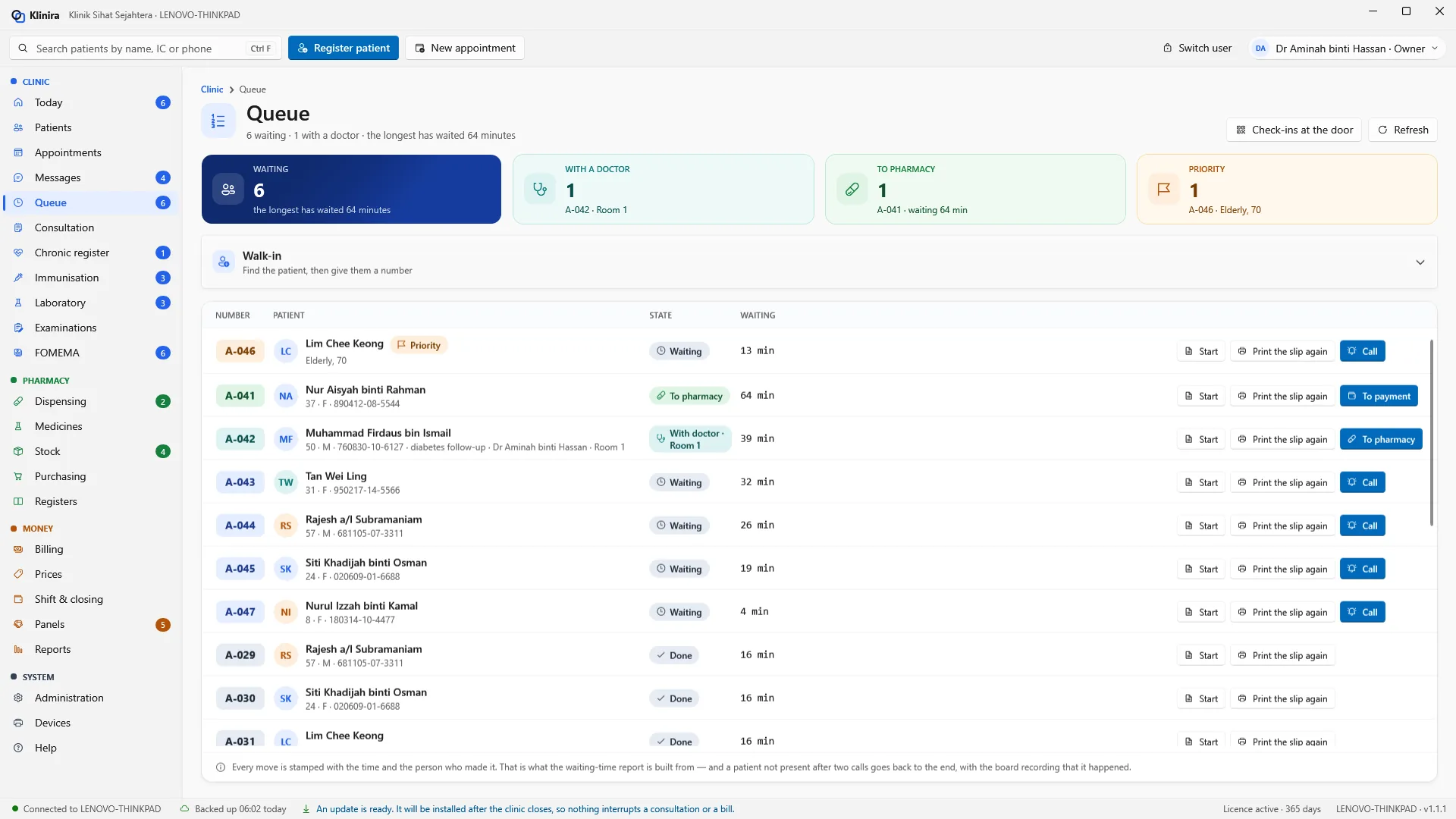
Registration that asks once
Identity, citizenship, panel and allergies are recorded at the counter, because each one matters later: citizenship decides the tax, the panel decides who pays, and an allergy decides what the doctor is warned about.
The queue everyone can see
One live queue on every computer: who is waiting, for which doctor, and for how long. The counter and the doctor's room see the same list, so nobody has to shout across the clinic.
Waiting in the car, not in the room
A patient scans the QR code at the door and checks in from their own phone. The counter accepts them into the queue, and the phone shows their place. When two patients are ahead of them, the counter sends a WhatsApp message that is already written, from the clinic's own number, so a parent with a small child can wait in the car. No smartphone or no WhatsApp? The counter calls the number as usual.
The waiting room screen
Any Windows PC connected to a TV by HDMI. It shows the numbers being called and no patient names, because the waiting room is a public place. It keeps running when the internet is down.
Common questions
Can patients book online?
Yes. Your clinic has its own booking page, and a patient picks a time from their phone. It arrives as a request: nothing goes into your appointment book until the counter accepts it, with the same tap they use for a phone call. The page only offers the times your clinic chose to publish.
Does it read MyKad?
Yes, with a supported card reader. It fills in the registration form so the counter does not retype the IC number.
Try it at your own counter first
Klinira is on the Microsoft Store. Install it on the clinic's main computer, press Start the free trial, and you have every module for 14 days. No card. If you would rather we show you first, leave your number.